Introduction
A computer keyboard is one of the most important tools for anyone who uses a computer regularly. Whether I am working on assignments, writing articles, browsing the internet, or performing office tasks, a comfortable keyboard can make everyday computer use much easier. However, choosing the right keyboard is not always as simple as it seems. Different keyboards have different layouts, key sizes, typing experiences, and features.
In my opinion, many people focus only on the price or appearance of a keyboard when buying one. They often forget to consider comfort, which is especially important for people who spend several hours typing every day. An uncomfortable keyboard can make typing tiring and may contribute to wrist or finger discomfort.
If you are planning to buy a new keyboard, understanding your needs before making a decision can help you choose a suitable option. In this guide, I will explain how to select a comfortable computer keyboard, what features to consider, and how to find a keyboard that suits your daily activities.
1. Understand Your Daily Computer Needs
Before choosing a computer keyboard, I believe the first step is to understand how you normally use your computer. A keyboard that works well for a student may not be the best option for a professional writer, office employee, or gamer.
For example, students often need a keyboard for typing assignments, preparing presentations, researching information, and attending online classes. A standard keyboard with comfortable keys and a familiar layout may be enough for these activities.
Writers and people who regularly enter large amounts of text may benefit from a keyboard that provides a pleasant typing experience and reduces unnecessary finger movement. Office workers may prefer a keyboard with a numeric keypad for entering numbers and working with spreadsheets.
Gamers may have different requirements, such as responsive keys and customizable controls. However, these features are not essential for everyone.
I recommend identifying your main computer activities before comparing different models. This simple step can help you avoid spending money on features you do not need.
2. Choose the Right Keyboard Size
Keyboard size has a direct effect on comfort and desk organization. Computer keyboards are available in full size, tenkeyless, compact, and other layouts.
A full size keyboard includes the standard typing keys, function keys, navigation keys, and a separate numeric keypad. It is a practical choice for people who work with spreadsheets, accounting software, or numerical data.
A tenkeyless keyboard removes the separate numeric keypad. This design provides more space for a mouse and may allow users to keep their hands closer together when typing and using the mouse.
Compact keyboards are smaller and often remove additional keys to save desk space. They can be useful for people who work on small desks or travel frequently with their computers.
In my view, the best keyboard size depends on your workspace and typing habits. If you regularly enter numbers, a full size keyboard may be more convenient. If you have limited desk space, a smaller model could be a better choice.
3. Pay Attention to Key Shape and Spacing
The shape and spacing of keyboard keys can influence how comfortable typing feels. Some keyboards have flat keys, while others feature slightly curved or sculpted keycaps designed to help fingers identify individual keys.
Key spacing is also important. When keys are too close together for your typing style, you may accidentally press neighboring keys. If the layout feels unfamiliar, typing can become slower until you adjust.
Before purchasing a keyboard, check whether the keys have enough space for your fingers to move naturally. The lettering should also be easy to read, particularly if you often type in low light or do not touch type.
I suggest trying a keyboard in a store whenever possible. Type a few sentences, use the spacebar, and test the Enter, Shift, and Backspace keys. These small checks can help you understand whether the keyboard feels suitable for everyday use.
4. Understand Mechanical and Membrane Keyboards
One of the most common decisions when selecting a comfortable computer keyboard is choosing between mechanical and membrane designs.
Mechanical keyboards use individual mechanical switches beneath their keys. Depending on the switch type, they can provide a light, tactile, or clicky typing experience. Some people enjoy their clear feedback, especially when typing for long periods.
However, mechanical keyboards can be noisy, heavy, or expensive. Their comfort depends on the switch design, key force, keyboard height, and personal preference.
Membrane keyboards use a pressure sensitive membrane structure to register key presses. They are often affordable, lightweight, and suitable for general home, school, and office use.
Some membrane keyboards have soft and quiet keys, making them a practical option for shared workspaces. Others may feel less responsive or require more pressure than expected.
Neither design is automatically more comfortable for everyone. I recommend choosing a keyboard based on how the keys feel under your fingers rather than assuming that a particular technology is always better.
5. Check Key Pressure and Typing Feedback
Key pressure refers to the amount of force needed to register a key press. This is an important feature to consider when buying a comfortable computer keyboard.
Some keyboards require very little pressure, while others have firmer keys. A keyboard that requires excessive force may make typing tiring for some users. On the other hand, keys that are too sensitive may cause accidental keystrokes.
The ideal balance depends on your typing style and personal preference. If you type slowly and carefully, you may prefer a keyboard with a clear response. If you type quickly, you may appreciate keys that register without requiring much force.
When testing a keyboard, type a short paragraph at your normal speed. Notice whether your fingers feel relaxed and whether you can press the keys without unnecessary effort.
In my opinion, a comfortable typing experience is more important than choosing a keyboard simply because it has a popular design or a large number of positive reviews.
6. Consider an Ergonomic Keyboard Design
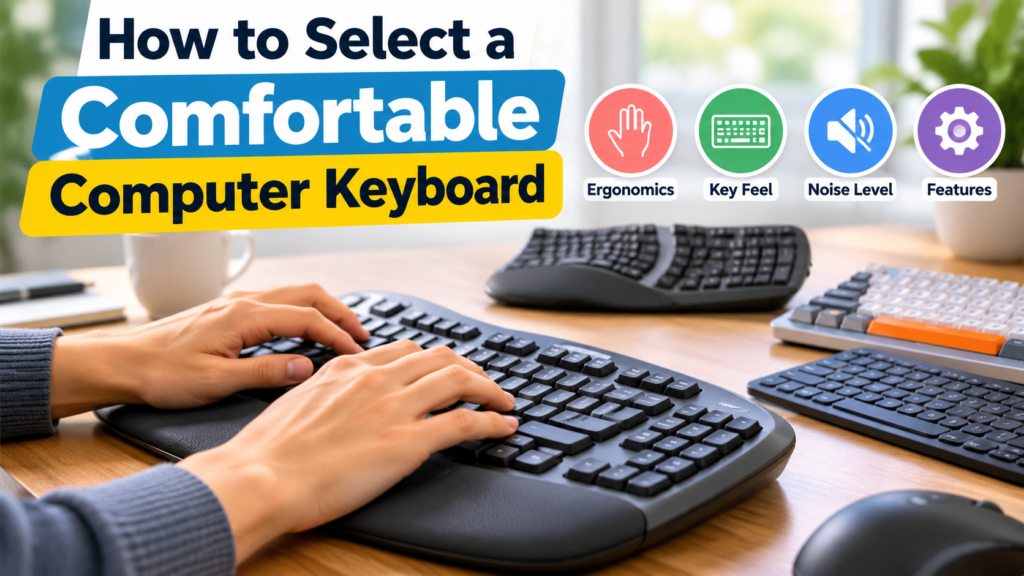
An ergonomic keyboard is designed to support a more comfortable typing position. Some ergonomic models have a split layout, curved key arrangement, or adjustable sections that allow users to position their hands differently.
Traditional keyboards can work well for many people, but some users find that their wrists turn outward or their shoulders feel uncomfortable during long typing sessions. An appropriately designed ergonomic keyboard may help certain users maintain a more natural hand position.
However, ergonomic keyboards are not guaranteed to prevent pain or solve every discomfort problem. They can also require time to learn, especially when the layout differs significantly from a standard keyboard.
For beginners, I suggest starting with a keyboard that allows relaxed shoulders, straight wrists, and comfortable finger movement. If a traditional keyboard does not suit your needs, you can explore ergonomic alternatives.
It is also important to remember that keyboard comfort depends on the entire workstation, including your chair, desk height, monitor position, and mouse placement.
7. Look for Adjustable Height and Wrist Support
Keyboard height can influence the angle of your wrists while typing. Many keyboards include small feet that raise the back edge, while some models provide adjustable height settings.
Raising the back of a keyboard may feel comfortable to some people, but it can also increase wrist extension. For neutral wrist positioning, a relatively flat keyboard may be more suitable. The best setup depends on your body position and workstation.
Some keyboards include a padded wrist rest. This accessory can provide support when you are not actively typing, but it should not force your wrists into an uncomfortable position.
I recommend keeping your wrists as straight as possible and avoiding prolonged pressure on the sensitive underside of your wrists while typing. Your elbows should remain comfortably close to your body, with your shoulders relaxed.
If you experience persistent wrist pain, numbness, tingling, or weakness, consider seeking advice from a qualified healthcare professional rather than relying only on a different keyboard.
8. Decide Between Wired and Wireless Keyboards
Connectivity is another factor to consider when selecting a computer keyboard. Wired and wireless keyboards can both provide a comfortable typing experience, so the decision usually depends on convenience and your working environment.
A wired keyboard connects directly to the computer, usually through a USB port. It does not require separate batteries, and you do not need to worry about wireless charging or connection interruptions caused by a depleted battery.
Wireless keyboards connect through Bluetooth or a USB receiver. They help reduce cable clutter and can make a desk look more organized. Some models can also connect to multiple devices, allowing users to switch between a computer, tablet, and other compatible devices.
However, wireless keyboards require battery power or charging, depending on their design.
In my opinion, choose wired connectivity if you prefer a simple setup and do not need to move your keyboard frequently. A wireless keyboard may be more suitable if you value a clean desk and flexibility.
9. Choose a Comfortable Keyboard for Long Typing Sessions
People who write articles, complete assignments, or perform data entry often spend several hours using a keyboard. For these users, comfort should be one of the main purchasing considerations.
Look for keys that respond consistently, a layout that feels familiar, and a design that supports a relaxed typing position. A keyboard that is excessively high or wide may make it harder to maintain a comfortable posture.
You should also consider the noise level. Quiet keys can be useful when working in a library, shared office, or room where other people are studying.
Taking short breaks can also make a difference. Instead of typing continuously for several hours, stand up, change your position, and gently move your hands and shoulders.
I believe that the best keyboard for long typing sessions is one that feels natural during ordinary work, not simply one that looks professional or has advanced features.
10. Consider Your Budget and Build Quality
Computer keyboards are available at different prices, from basic budget models to premium mechanical and ergonomic options. A higher price does not automatically mean better comfort.
Before buying, consider how often you will use the keyboard and which features matter most. For occasional browsing, a basic keyboard with a familiar layout may be sufficient. For daily writing or office work, investing in a more durable model with comfortable keys may be worthwhile.
Check the quality of the keycaps, the stability of the keyboard on your desk, and the reliability of its connection. If possible, review the manufacturer’s warranty and product support information.
Customer reviews can help you identify common concerns, such as keys that stop working, noisy switches, or poor wireless connectivity. However, remember that typing preferences differ from person to person.
I recommend setting a reasonable budget and comparing a few suitable models instead of choosing the cheapest option immediately or paying extra for unnecessary features.
11. Check Compatibility and Additional Features
Before purchasing a keyboard, make sure it works with your computer and operating system. Most standard USB keyboards work with many modern Windows computers, while Bluetooth models may require compatible wireless hardware.
If you use a Mac or switch between operating systems, check the key labels and shortcuts. Some keyboards include dedicated multimedia keys, volume controls, backlighting, or programmable buttons.
Backlighting can help you identify keys in dim environments, but it is not essential for everyone. Multimedia controls may be useful if you regularly adjust volume or manage music while working.
For everyday computer use, I would prioritize comfort, reliability, and compatibility before considering extra features.
12. Test the Keyboard Before Making a Final Decision
Whenever possible, test a keyboard before buying it. Product photographs and descriptions cannot fully explain how a keyboard feels during actual use.
Start by typing a few sentences at your normal speed. Check whether the keys feel too stiff, too sensitive, or comfortable. Test commonly used keys and confirm that you can reach them easily.
Pay attention to the keyboard’s size, weight, stability, and noise level. If you are purchasing online, review the product specifications carefully and check the seller’s return policy.
You should also give yourself some time to adjust after switching to a different keyboard layout. A new design may initially feel unfamiliar even if it eventually becomes comfortable.
Making a careful decision can help you avoid unnecessary spending and improve your everyday computer experience.
Conclusion
Selecting a comfortable computer keyboard requires more than comparing prices and appearances. You should consider your daily computer activities, keyboard size, key spacing, typing pressure, ergonomic design, connectivity, and overall build quality.
In my opinion, comfort should always come before unnecessary features. A student may need a simple and affordable keyboard, while someone who writes articles every day may prefer a model with a more satisfying typing experience. Office workers may benefit from a full size keyboard, while people with limited desk space might prefer a compact design.
Before buying, test the keyboard if possible and make sure it supports a relaxed typing posture. Remember that your desk height, chair position, and typing habits also influence comfort.
By considering these factors, you can select a comfortable computer keyboard that suits your needs, supports your daily tasks, and provides a better experience whenever you sit down to work.