

Introduction
Basic computer skills have become an important part of everyday life. Whether you are a student, a job seeker, an office worker, or someone who wants to learn something new, knowing how to use a computer can make many tasks easier. Computers are used for education, communication, business, online services, and entertainment. Even simple skills can help you save time and become more independent when working with technology.
In my opinion, everyone should learn basic computer skills because they are useful in many different situations. You do not need to be a computer expert to benefit from them. Understanding how to use a keyboard, manage files, browse the internet, and work with common applications is often enough to get started.
Many beginners feel confused when they first use a computer. They may not know where to find programs, how to save documents, or how to solve simple problems. The good news is that these skills can be learned through regular practice.
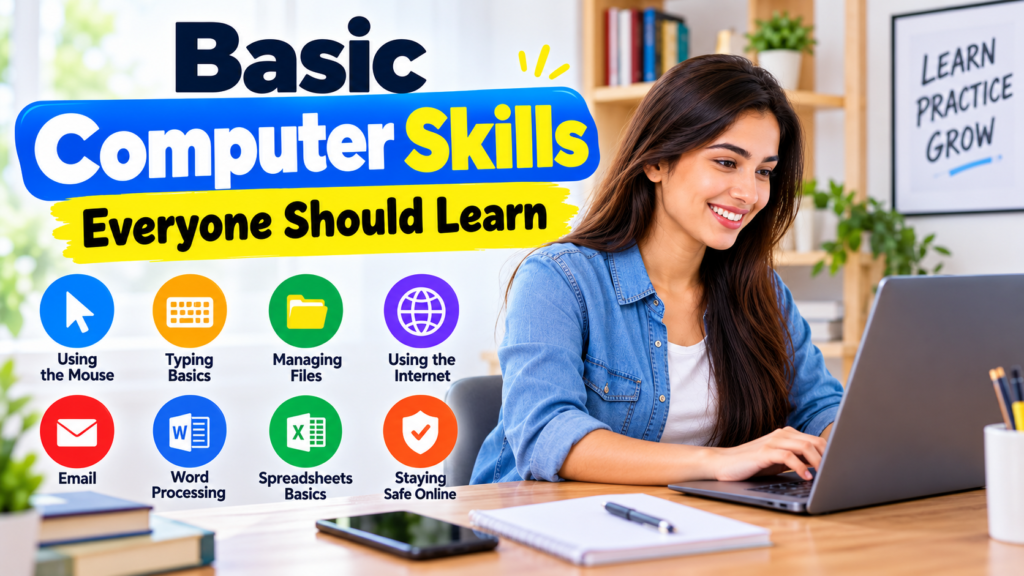
In this guide, I will explain the basic computer skills everyone should learn and how they can be useful in everyday life.
1. Learn How to Use a Computer
The first step is understanding how a computer works and becoming familiar with its basic parts. A desktop computer usually includes a monitor, keyboard, mouse, and system unit. A laptop combines most of these components into one portable device.
You should learn how to turn on your computer, sign in, open the desktop, and shut it down correctly. You should also understand how to use the Start menu, taskbar, and search feature on a Windows computer.
These basic actions may seem simple, but they help you become comfortable with your device. Once you understand the main screen and know where to find applications, other computer tasks become easier.
Spend some time exploring your computer. Open familiar applications, check the available settings, and learn where important options are located. Avoid changing settings you do not understand until you know what they do.
2. Improve Your Keyboard Skills
Keyboard skills are essential for almost anyone who uses a computer. You may need to type assignments, write emails, prepare reports, complete online forms, or enter information into different applications.
Start by learning the position of letters, numbers, and commonly used keys. Practice typing short sentences and gradually move on to longer paragraphs.
Some keys are particularly useful. The Enter key helps you start a new line or confirm an action. The Spacebar creates spaces between words, while Backspace removes characters to the left of the cursor. Shift helps you type capital letters and additional symbols.
You should also learn common keyboard shortcuts. For example, Ctrl + C copies selected content, Ctrl + V pastes it, and Ctrl + Z undoes many recent actions. Ctrl + S saves your work in many applications.
Learning these shortcuts can help you work faster without relying entirely on the mouse.
I recommend practicing typing for ten to fifteen minutes every day. Focus on accuracy before speed. With regular practice, you can gradually improve your typing confidence.
3. Learn to Use a Mouse or Touchpad
The mouse allows you to interact with items on the screen. You can use it to open applications, select files, click links, and move between different parts of a program.
Learn the difference between a single click, double click, right click, and scrolling. Each action has a different purpose.
A single click usually selects an item, while a double click often opens a file or application. A right click displays a menu with additional options. Scrolling helps you move through webpages and documents.
If you use a laptop, the touchpad performs many of the same functions. You can move the pointer with your finger and tap to select items.
Good mouse control makes computer use more comfortable. Practice selecting icons, opening folders, and moving between browser tabs until these actions feel natural.
4. Understand How to Manage Files and Folders
File management is one of the most useful basic computer skills. Files contain information such as documents, pictures, videos, and spreadsheets. Folders help you organize these files so that you can find them when needed.
On a Windows computer, File Explorer allows you to browse your folders and files. You can create folders for different purposes, such as school assignments, personal documents, work projects, and photographs.
Use clear names when saving files. For example, a document named Biology Assignment is easier to recognize than one named New Document 5.
You should learn how to create, rename, copy, move, and delete files. It is also helpful to understand where downloaded files are stored.
Keeping your computer organized can save time and reduce confusion. For important documents, consider creating backups on an external drive or a trusted cloud storage service.
5. Learn How to Use the Internet
The internet provides access to educational materials, news, online services, communication tools, and much more.
To use the internet, you generally need a web browser, such as Google Chrome, Microsoft Edge, or Mozilla Firefox. Open the browser and enter a website address or search for a topic using a search engine.
For example, students can search for tutorials, explanations, and learning resources. Job seekers can explore employment websites, prepare applications, and research employers.
You should learn how to open links, return to previous pages, use browser tabs, and bookmark useful websites. These features make browsing easier.
It is also important to evaluate online information carefully. Not every website is reliable, and some pages contain misleading claims. Check the source and compare important information with other trustworthy websites.
6. Learn to Use Email
Email is widely used for communication in education, employment, and business. Knowing how to send and receive emails can help you communicate more professionally.
First, create an account with a trusted email provider. Once you sign in, learn how to compose a message, enter the recipient’s address, add a subject, and write the main content.
Before sending a message, check the spelling and make sure the recipient’s email address is correct.
You should also learn how to reply to messages and attach documents. For example, you may need to email a teacher an assignment or send a resume to an employer.
Keep your inbox organized by deleting unnecessary messages and saving important emails when appropriate.
Never share your password through email. Be cautious of unexpected messages asking you to click links, provide personal information, or make payments.
7. Learn Basic Word Processing and Spreadsheet Skills
Word processing and spreadsheet applications are useful for students, professionals, and business owners.
A word processor allows you to create and edit documents. You can use it to write assignments, prepare letters, create reports, and format text with headings and lists.
Learn how to change font sizes, adjust paragraph alignment, insert page breaks when needed, and save documents in suitable formats.
Spreadsheets are useful for organizing information in rows and columns. Programs such as Microsoft Excel and compatible spreadsheet applications can help you prepare budgets, maintain lists, calculate totals, and track expenses.
You do not need to learn advanced formulas immediately. Start with entering information into cells, formatting tables, and using simple calculations.
These skills can be useful in education, office work, and many everyday activities.
8. Understand Basic Computer Safety
Computer safety is a skill everyone should take seriously. Your computer may contain personal documents, photographs, saved accounts, and other important information.
Start by using strong passwords and avoiding the same password across all your accounts. Enable two factor authentication where available.
Keep your operating system and applications updated. Updates often include important security fixes.
Download software only from trusted sources. Avoid opening unexpected attachments or clicking suspicious links, especially when a message creates pressure to act quickly.
When using a shared computer, sign out of your accounts after finishing. Do not save your password on a device that other people can access.
You should also back up important files regularly. A backup can help you recover documents if your device is damaged or files are accidentally deleted.
9. Learn How to Solve Simple Computer Problems
Basic troubleshooting helps you deal with common computer issues without immediately needing assistance.
For example, if an application stops responding, you can wait briefly and then try closing it safely. If a website does not load, check your internet connection and try refreshing the page.
If the sound is not working, check the volume level and selected audio output. If a laptop battery is low, connect its charger and confirm that the charging indicator appears.
Restarting a computer can sometimes resolve temporary problems, but save your work first whenever possible.
Read error messages carefully rather than clicking unfamiliar options. If you cannot identify the problem, search for the exact error message using a reliable source or ask a knowledgeable person for help.
Learning basic troubleshooting can save time and help you feel more confident using technology.
10. Practice Computer Skills Regularly
The easiest way to improve your computer skills is to use them regularly. You can begin with small tasks and gradually learn more advanced features.
For example, write a short document, save it in a folder, find it again, and send it as an email attachment. This single activity allows you to practice typing, file management, and email.
You can also explore online typing exercises, spreadsheet tutorials, and beginner computer lessons.
Try to practice for twenty to thirty minutes a day if your schedule allows. Consistency is more important than learning everything in one session.
Do not feel discouraged when you make mistakes. Every beginner needs time to become comfortable with a new skill. The important thing is to understand what went wrong and try again.
Conclusion
Basic computer skills are useful for students, job seekers, employees, business owners, and anyone who wants to use technology more effectively. Learning how to operate a computer, use a keyboard and mouse, manage files, browse the internet, send emails, and protect personal information provides a strong foundation.
In my view, the best approach is to start with simple tasks and practice them regularly. You do not need expensive equipment or advanced technical knowledge to begin learning. A computer, access to suitable learning resources, and a little patience can help you make steady progress.
As your confidence grows, you can explore word processing, spreadsheets, online collaboration, and other useful applications. These skills can support your education, improve your productivity, and prepare you for new opportunities.
The most important step is to start learning today and continue improving one skill at a time.


